
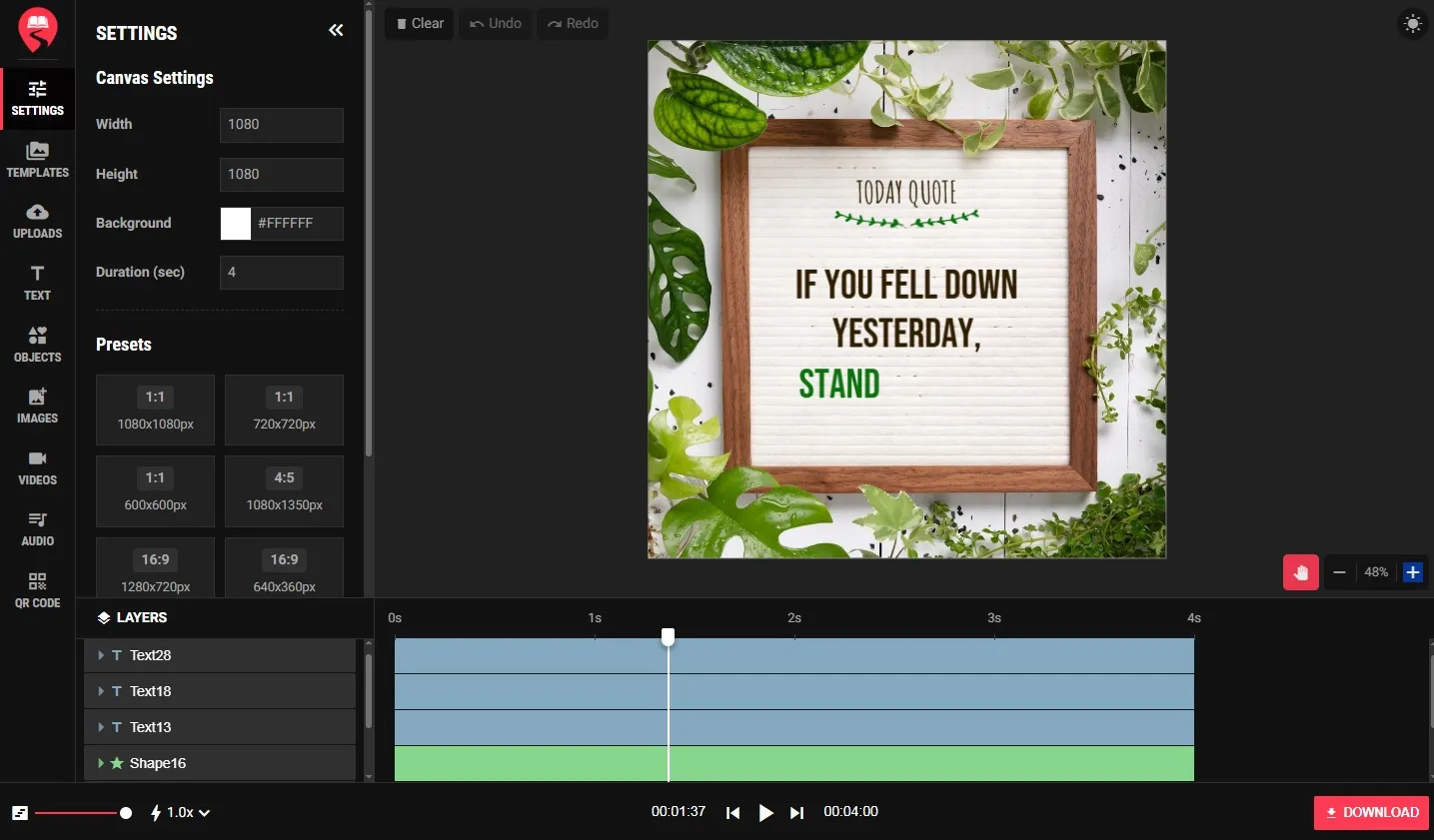
Create Stunning Videos Online — No Video Editing Skills Required
Creating professional-looking videos no longer requires expensive software, a powerful computer, or hours of learning. PathGyan’s free online video maker lets you create engaging videos from photos, text overlays, background music, and transitions — directly in your browser, in minutes.
Whether you need a quick slideshow for a family event, a product showcase video for your business, an educational clip for teaching, a social media reel, or a promotional video for your brand — our video maker gives you a clean, intuitive workspace to build it. No Premiere Pro, no Final Cut, no After Effects. Just upload, arrange, customize, and export.
What Can You Create With This Video Maker?
Photo Slideshows: Turn a collection of photos into a polished, shareable video with smooth transitions. Perfect for weddings, birthdays, travel albums, school events, and memorials.
Social Media Videos: Create short-form videos optimized for Instagram Reels, YouTube Shorts, Facebook Stories, and WhatsApp Status updates. Set the aspect ratio to match each platform.
Business Promotional Videos: Showcase your products, services, or brand story with a clean video combining product images, text overlays, and professional background music.
Educational Content: Teachers and content creators can build explainer videos, lesson summaries, or visual presentations that are more engaging than static slides.
YouTube Thumbnails and Intros: Create compelling video intros and outros for YouTube channels with animated text and image sequences.
How to Make a Video on PathGyan
- Choose your format — Select video aspect ratio: 16:9 (landscape/YouTube), 9:16 (portrait/Reels), or 1:1 (square/Instagram).
- Upload your media — Add photos, images, or short video clips. Drag and drop to arrange them in order.
- Add text overlays — Type titles, captions, or subtitles. Choose font style, size, color, and position.
- Choose transitions — Select slide transitions between scenes — fade, dissolve, swipe, or none.
- Add background music — Upload your own audio or choose from available royalty-free tracks.
- Set durations — Control how long each photo or clip appears in the video.
Preview and export — Preview your video and download the finished file in MP4 format.
Frequently asked questions
Yes. PathGyan’s online video maker is free. Basic video creation and download are available without any account or payment.
Videos are exported in MP4 format — the most universally compatible video format, supported by all social media platforms, devices, and video players.
You can add JPEG and PNG photos, short video clips, text overlays, and audio files (MP3, WAV) as background music. The tool is designed for photo-to-video creation and light video assembly.
Yes. Select the 9:16 vertical aspect ratio option to create videos optimized for Instagram Reels, YouTube Shorts, TikTok, and WhatsApp Status. Videos in this format fill the full mobile screen for maximum visual impact.
Free plan videos may include a PathGyan branding watermark. Check the current export options within the tool for watermark-free download availability.
Basic usage does not require account creation. An account may be needed to save your project for later editing. Check the tool interface for current sign-in requirements.
Yes. Upload your own MP3 or WAV audio file as background music for the video. Use royalty-free music for videos you plan to share on YouTube or other platforms to avoid copyright issues.
The video maker supports standard-length videos for social media and presentation use cases. Very long videos may require more processing time. For professional long-form video editing, dedicated desktop software like DaVinci Resolve (free) is recommended.