PathGyan Free Online Meme Maker – Create Hilarious Memes in Seconds (2026)
You have seen the meme. You have laughed at the meme. You have sent the meme to five group chats simultaneously.
Now it is your turn to make one.
Memes are no longer just entertainment. They are how people communicate, market brands, express opinions, and — let us be honest — survive Monday mornings. In 2026, if you are not using memes in your content, your social media, or even your classroom, you are leaving engagement on the table.
The problem? Most online meme makers are either packed with annoying watermarks, locked behind paywalls, or so complicated that you need a design degree to figure them out.
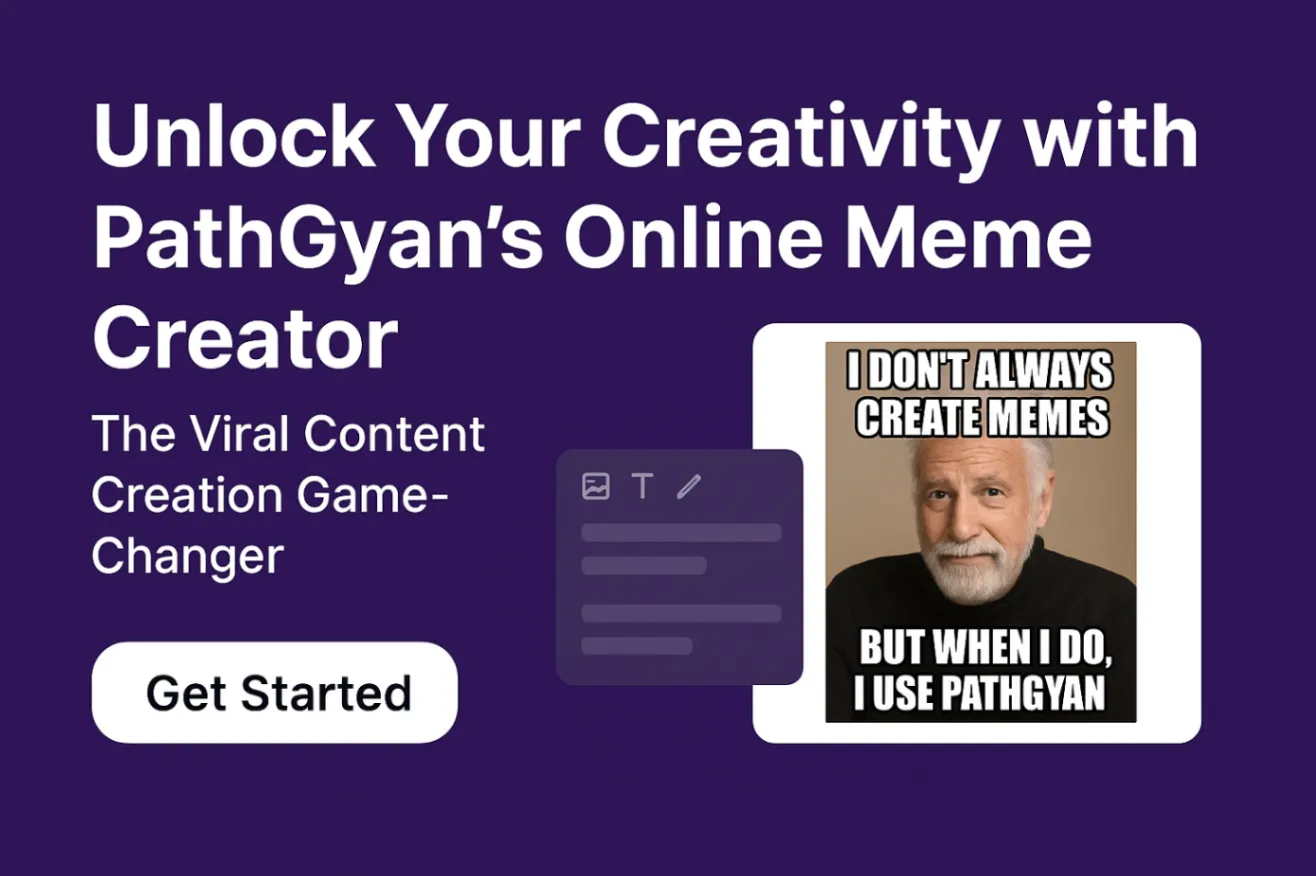
That is where PathGyan’s free online Meme Maker changes the game. Free, fast, watermark-free, and genuinely simple to use — it is everything a good meme tool should be.
Let us break it all down.
What Is PathGyan’s Meme Maker?
PathGyan’s Meme Maker is a free online tool that lets you create custom memes directly in your browser — no app download, no account required, no hidden charges.
You pick a template, add your text, customize the style, and download your meme in seconds. That is genuinely it.
Whether you want to react to a trending topic, roast your friend group, or create shareable content for your brand’s Instagram page — PathGyan’s Meme Maker handles it all with zero fuss.
It sits alongside PathGyan’s growing suite of free tools, which also includes an image compressor, image resizer, QR code generator, video maker, and a PDF tool — all free, all online, all in one place.
Key Features of PathGyan’s Free Meme Maker
1. Massive Template Library
PathGyan gives you access to a wide library of meme templates — from timeless classics to trending formats. Whether you want the Drake approval meme, the distracted boyfriend, the two buttons dilemma, or something fresh from this week’s internet, you will find a template ready to go.
New templates are added regularly so you are never stuck working with outdated formats.
2. Completely Free — No Watermarks
This is the big one. Many free meme generators stamp their logo right across your finished meme. It kills the joke, tanks the aesthetics, and honestly feels disrespectful to your creative effort.
PathGyan does not do that. Your meme is your meme — clean, watermark-free, and ready to post exactly as you made it.
3. No Signup Required
No account. No email address. No “verify your phone number.” You open the tool, make your meme, download it, and move on with your life. That is the way it should be.
4. Full Text Customization
You are not limited to one font and one size. PathGyan’s Meme Maker lets you customize:
- Font style and size
- Text color and outline
- Text position (top, bottom, or anywhere you want)
- Bold, italic, and shadow effects
This level of control ensures your meme looks exactly the way you imagined it — not some generic, cookie-cutter output.
5. Upload Your Own Images
Not finding the right template? Upload your own photo or image and turn it into a meme. Got a screenshot, a funny photo from your camera roll, or a custom graphic? Drop it in and go.
This makes PathGyan’s tool genuinely versatile — useful for personal memes, brand content, classroom materials, and everything in between.
6. Instant Download
Once your meme is ready, you download it instantly. High-quality image, fast download, no waiting around. Share it directly to WhatsApp, Instagram, Twitter, or wherever your audience lives.
7. Works on Mobile and Desktop
Meme inspiration does not wait for you to reach your laptop. PathGyan’s Meme Maker is fully mobile-optimized — works smoothly on Android and iOS browsers, with a clean interface that is just as easy to use on a phone screen as it is on a desktop.
Who Is PathGyan’s Meme Maker For?
Honestly? Pretty much everyone. But here is a breakdown of who gets the most value out of it:
| User Type | How They Use It |
|---|---|
| Social Media Users | Creating funny, relatable content to share and go viral |
| Content Creators | Building a consistent, engaging meme strategy for their audience |
| Digital Marketers | Making brand-relevant memes that boost reach without paid ads |
| Students | Making study memes, presentation humor, or group chat gold |
| Teachers & Educators | Creating engaging visual content to explain concepts |
| Small Business Owners | Promoting products or services in a fun, shareable way |
| Professionals | Internal team humor, HR updates that people actually read |
If you create content for any audience — even an audience of one (your own group chat) — this tool is for you.
How to Create a Meme on PathGyan — Step by Step
Making a meme on PathGyan takes under two minutes. Here is the exact process:
Step 1 — Open the tool Visit PathGyan’s free Meme Maker on your phone or browser.
Step 2 — Choose a template Browse the template library and pick the format that fits your idea. Or click “Upload Image” to use your own photo.
Step 3 — Add your text Type your top text and bottom text (or wherever you want the caption). Keep it punchy — the best memes land their joke in under 10 words.
Step 4 — Customize the style Change font, size, color, and position to make it look exactly right. Add a shadow or outline if the text is hard to read against the background.
Step 5 — Download and share Hit download. Your meme saves as a clean image file — ready to post on Instagram, WhatsApp, Twitter, Facebook, Reddit, or wherever you live online.
Done. Start to finish — under two minutes.
Why Memes Matter More Than Ever in 2026
Memes are not just jokes. They are one of the most effective forms of communication on the internet today — and the data backs it up.
Studies show that social media posts with meme-style content consistently outperform traditional posts in reach, engagement, and share rate. Brands that use memes effectively see significantly higher organic reach compared to standard promotional content.
In India especially, meme culture has exploded. WhatsApp groups, Instagram Reels, and YouTube Shorts have made visual humor a primary language of digital communication — across age groups, languages, and regions.
For marketers, creators, and educators, this means one thing: if you want attention, memes earn it faster and cheaper than almost any other content type.
Tips to Make Memes That Actually Get Shared
Making a meme is easy. Making a meme that people actually want to share — that takes a little more thought. Here are some things that work:
Keep the text short and sharp. The best memes land their point immediately. If someone has to re-read your meme to understand it, it will not get shared.
Use relatable situations. Memes work because they tap into shared experiences. The more people see themselves in your meme, the more they share it.
Jump on trends quickly. A trending meme format has a short window — usually 24 to 72 hours. If you spot a format blowing up on Twitter or Instagram, use it today, not next week.
Match the energy of the platform. Reddit humor is different from Instagram humor, which is different from WhatsApp group humor. Know your audience before you post.
Do not overthink it. Memes are supposed to feel spontaneous and real. Over-polished memes often feel like ads, and nobody shares ads.
PathGyan Meme Maker vs. Other Free Tools
| Feature | PathGyan Meme Maker | Most Other Free Tools |
|---|---|---|
| Completely free | ✅ Yes | ⚠️ Free with limits |
| No watermarks | ✅ Yes | ❌ Watermarks on free plan |
| No signup needed | ✅ Yes | ❌ Account required |
| Upload your own image | ✅ Yes | ⚠️ Sometimes |
| Mobile optimized | ✅ Yes | ⚠️ Hit or miss |
| Text customization | ✅ Full control | ⚠️ Limited options |
| Template library | ✅ 100+ templates | ✅ Usually yes |
| Instant download | ✅ Yes | ⚠️ Sometimes slow |
The comparison is clear. When it comes to combining ease, freedom, and zero cost — PathGyan’s Meme Maker stands ahead.
More Free Tools You Will Love on PathGyan
PathGyan is not just a meme tool — it is a full suite of free online tools built for creators, marketers, students, and anyone who works with digital content. While you are here, check out:
- Free Online Image Compressor — Reduce image file size without losing quality
- Free Image Resizer — Resize images to any dimension instantly
- Free Image to WebP Converter — Convert images to the web-optimized WebP format
- Free QR Code Generator — Create custom QR codes in seconds
- Free Online Video Maker — Build videos without any editing software
- Free PDF Merger & Page Remover — Manage your PDF files online with ease
All tools are free. No login. No watermarks. No nonsense.
Frequently Asked Questions (FAQs)
Q1. Is PathGyan’s Meme Maker really free? Yes, completely free. There are no hidden charges, no premium tiers, and no subscription needed. Every feature — templates, text customization, downloads — is available at zero cost.
Q2. Do I need to create an account to use the Meme Maker? No. You can open PathGyan’s Meme Maker and start creating immediately — no signup, no email, no registration of any kind.
Q3. Will there be a watermark on my meme? No. PathGyan does not add any watermarks to your memes. What you create is fully yours — clean and ready to post anywhere.
Q4. Can I upload my own image to make a meme? Yes. If none of the existing templates suit your idea, you can upload any image from your device and use it as the base for your custom meme.
Q5. Does PathGyan’s Meme Maker work on mobile phones? Yes. The tool is fully optimized for mobile browsers on both Android and iOS. You can create and download memes just as easily on your phone as on a desktop.
Q6. What file format does the downloaded meme come in? Memes download as standard image files (typically JPG or PNG), which are compatible with all social media platforms including Instagram, WhatsApp, Twitter, and Facebook.
Q7. Can I use PathGyan’s Meme Maker for my business or brand? Absolutely. Many marketers, content creators, and small business owners use PathGyan’s Meme Maker to create engaging branded content. Since there are no watermarks, the output looks fully professional and brand-appropriate.
Final Verdict
Memes are the internet’s native language — and in 2026, you genuinely cannot afford to not speak it.
PathGyan’s free Meme Maker gives you everything you need to create funny, shareable, high-quality memes without spending a single rupee or wasting time on complicated software. Free templates, full customization, zero watermarks, no signup — it is the most straightforward meme creation tool available online today.
Whether you are a content creator chasing viral moments, a marketer trying to boost organic reach, a student livening up a group chat, or just someone who saw something hilarious and wants to remix it into their own format — PathGyan has you covered.
Open the tool. Pick your template. Type your caption. Download. Share. Repeat.
It really is that simple. Start making memes on PathGyan right now →
Recent Posts


All Categories
Related Article...
PathGyan – India’s No. 1 Online Listing Website for Schools, Colleges & Universities (2026)
Why Pathgyan’s Free and Unlimited Online Video Maker Is Perfect for Everyone
Generate QR Codes Instantly – Free & Unlimited with Pathgyan
Free Unlimited Meme Maker – Create Funny Memes Instantly Online!

How to Choose the Right School in India for Your Child’s Future